
This is the working designer’s guide to FF&E schedules and spec sheets in 2026 — what they need to include, the templates that work, and the AI-accelerated workflow that compresses production time without sacrificing documentation rigor.
What FF&E documentation must include
The FF&E schedule and spec sheet documentation has three required components:
- Schedule (master list). Spreadsheet or table listing every specified item — code, room, category, manufacturer, model, finish, quantity, price, status.
- Individual spec sheets. One page per item with photo, dimensions, materials, finish, lead time, ordering details, and any special notes.
- Furniture plan reference. Floor plans with item codes showing where each piece goes.
This documentation serves three audiences: the client (knows what they’re buying), the trades (know what to install where), and the studio (procurement, change management, project closeout). Inadequate FF&E documentation is the single biggest source of project disputes and margin loss.
The FF&E schedule structure
| Column | Purpose | Example |
|---|---|---|
| Code | Unique reference for the item | LR-SO-001 |
| Room | Where the item goes | Living Room |
| Category | Type of item | Seating — Sofa |
| Description | Brief description | 3-seat sofa, performance linen |
| Manufacturer | Vendor name | RH Modern |
| Model / Item # | Specific product | Cloud 3-Seat #98762 |
| Finish / Color | Specified finish | Perennials Sandstone |
| Dimensions | W × D × H | 96″ × 42″ × 30″ |
| Quantity | How many | 1 |
| Unit price | Cost per item | $5,495 |
| Total | Line item total | $5,495 |
| Lead time | Order to delivery | 12–14 weeks |
| Status | Procurement status | Ordered 4/10 |
| Notes | Special requirements | Custom cushion firmness |
Where AI accelerates FF&E production
- Spec sheet image generation. When the manufacturer’s photo doesn’t show the piece in context, AI can generate a photoreal visualization of the specified piece in a setting matching the project palette.
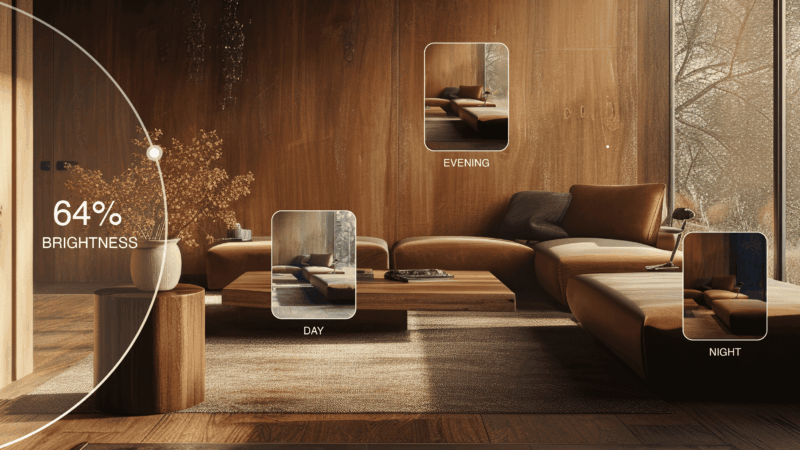
- Photo standardization. AI can re-light and re-background product photos to consistent presentation style across the project spec set.
- Material rendering at scene scale. Visualizing the FF&E plan as a whole — generating renderings of each room with all specified pieces in place — for the client to see the full project before approving the schedule.
- Specification extraction. AI can extract dimensions, materials, finishes, and item numbers from manufacturer cut sheets into the schedule spreadsheet automatically.
- Catalog search. AI-powered product search (“find me a 90-inch performance-fabric sofa with deep seat and tapered legs in the $3,000–$5,000 range”) accelerates the sourcing step.
Sample spec sheet layout
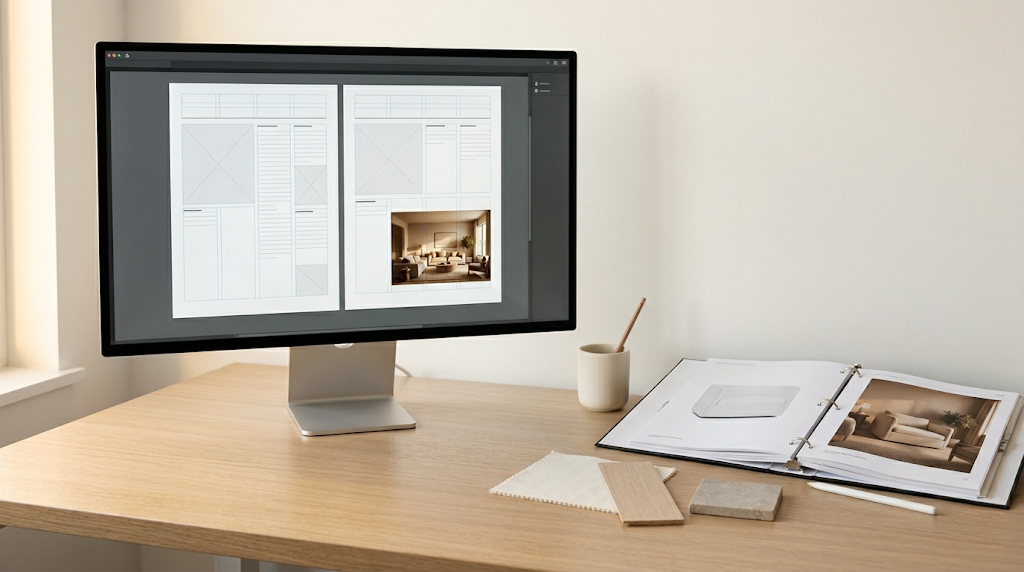
The professional spec sheet for a single FF&E item is typically one page:
- Top of page: Item code, room, category. Project name and client in header.
- Hero image area (top-left, 60% of page): Manufacturer photo or AI-rendered in-context photo. Specified finish visible.
- Specification block (top-right, 40% of page): Manufacturer, model, dimensions, materials, finish, weight, COM specifications if applicable.
- Notes section (bottom): Custom specifications, installation notes, special handling, warranty.
- Procurement details: Vendor contact, lead time, trade discount, ordering process.
- Page footer: Studio name, page number, document version, date.

Spreadsheet vs. design software for the schedule
Three common approaches:
- Excel or Google Sheets. The simplest and still most common. Strong calculation, filtering, and pivot capabilities. Cons: visual presentation limitations, manual export to PDF.
- Studio Designer or Design Manager. Industry-specific software with integrated FF&E scheduling, procurement tracking, and billing. Strong feature set but significant cost ($75–$300/month per user).
- Project management tools (Asana, Notion, Monday). Increasingly used for FF&E tracking, especially by smaller studios. Good visual organization, less specialized.
Most working studios in 2026 use Studio Designer or Design Manager for project FF&E management, with Excel as a backup for client deliverables. Smaller studios often use Notion or Google Sheets paired with separate procurement tracking.
Common FF&E documentation mistakes
- Missing finish specifications. “Walnut” isn’t enough. Specify the exact finish — “Walnut, oil-rubbed, low sheen” — to prevent costly mis-orders.
- No lead time tracking. A 14-week custom sofa ordered in week 16 misses the install date. Lead times must be tracked from day one of procurement.
- Generic descriptions. “Side table” doesn’t identify the specific piece. Always include manufacturer and model.
- No vendor contact details. When a problem arises, the project manager needs to call the vendor immediately. Vendor info in the schedule.
- No status tracking. The schedule needs a status column: specified, approved, ordered, shipped, received, installed. Without this, the schedule becomes outdated immediately.
- Missing change history. When the client changes a specification mid-project, the original spec needs to be archived with a date and reason for change.
Frequently asked questions
What does FF&E stand for in interior design?
FF&E stands for Furniture, Fixtures, and Equipment. It refers to all the items in an interior project that are not part of the building itself — furniture, lighting fixtures, art, decorative objects, soft goods, and similar items. FF&E specification and procurement is one of the core deliverables of full-service interior design.
What’s the difference between an FF&E schedule and spec sheet?
An FF&E schedule is the master list of all specified items in a project — typically a spreadsheet with codes, manufacturers, models, finishes, prices, and procurement status. A spec sheet is the detailed individual page documentation for one item, with photo, dimensions, materials, and ordering details. Both are needed for professional project documentation.
What software is best for FF&E schedules in 2026?
Studio Designer and Design Manager are industry-specific FF&E management tools widely used by working studios ($75–$300/month). Excel and Google Sheets remain common for simpler projects or smaller studios. Notion and project management tools are increasingly used for hybrid approaches. The right tool depends on project complexity and procurement volume.
How do I track FF&E lead times?
Every line item in the FF&E schedule needs a ‘lead time’ column with the manufacturer’s quoted production and shipping time. The status column tracks where each item is in the procurement cycle (specified, approved, ordered, in production, shipped, received, installed). Working studios review the schedule weekly with the client to update status and flag delays.
Can AI help produce FF&E specification documentation?
Yes, in several specific ways: generating photoreal in-context visualizations when manufacturer photos are weak, extracting specification data from manufacturer cut sheets into spreadsheet format, AI-powered product search to find pieces matching design specifications, and rendering the full FF&E plan as photoreal room visualizations for client approval. Roomwork.ai handles the visualization and rendering use cases specifically.
See it in your own projects.
Generate your first AI interior visualization in under 3 minutes. No 3D experience required.