This is the working studio’s guide to interior design presentation decks — the slide structure that consistently wins client approvals, the AI-powered workflow that compresses prep time, and the specific design moves that turn a presentation into a signed project.
The 12-slide presentation structure
- Cover slide. Project name, client name, designer studio, date. Visual, brand-consistent.
- Project understanding. Single slide paraphrasing what the client described in discovery. Demonstrates listening.
- Design concept. The big idea for the project. Two or three sentences and a hero image.
- Mood and direction. Curated reference images defining the visual language. Pinterest-style grid layout.
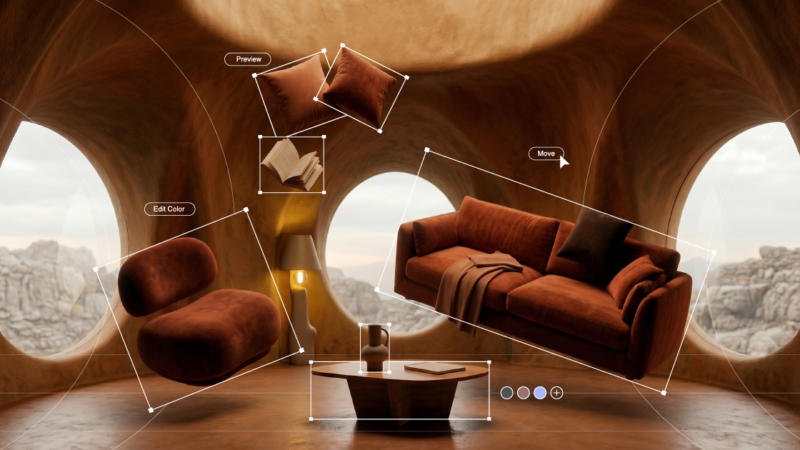
- Key space 1. AI-rendered visualization of the strongest space in the project. Living room or kitchen typically.
- Key space 2. Second priority space. Same rendering quality.
- Key space 3–4. Additional priority spaces. Cover all major rooms in the project.
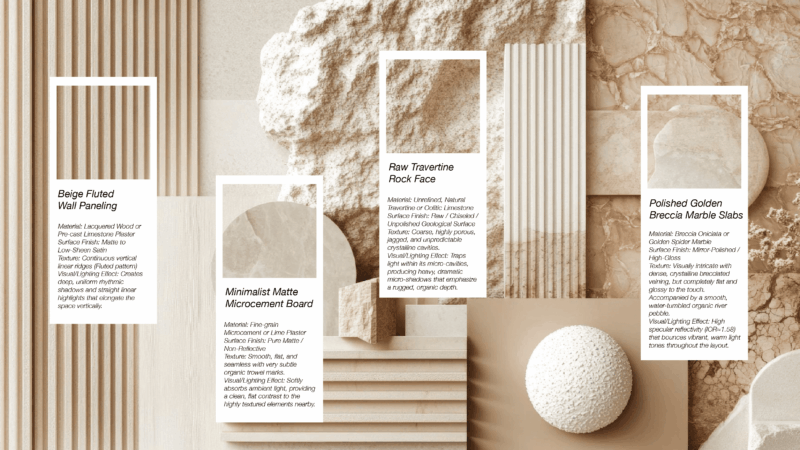
- Material direction. Selected palette with finish and color references.
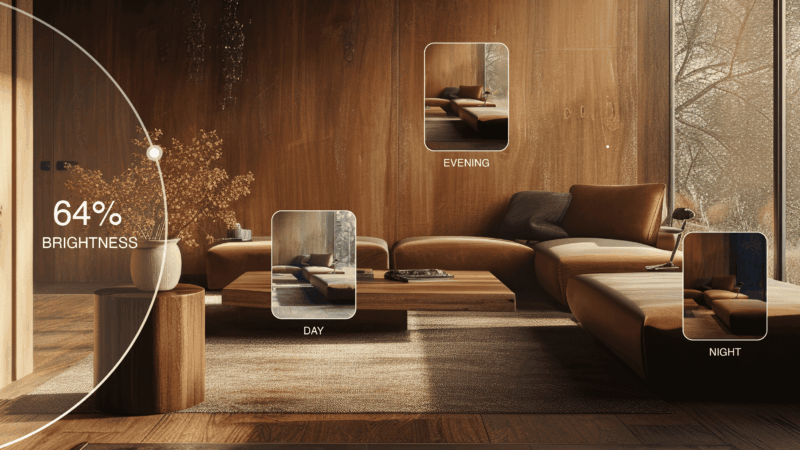
- Lighting plan. Layered lighting strategy with key decorative fixtures specified.
- Furniture direction. Hero pieces specified — sofa, dining table, key lamps, statement art.
- Budget and timeline. Investment summary by phase, project calendar.
- Next steps. What happens after this meeting — contract signing, kickoff date, payment.
Why presentation matters more than work quality
This is the uncomfortable truth that experienced designers learn the hard way: in client presentations, the quality of the presentation often matters more than the quality of the underlying design work. A mediocre design presented well consistently wins approval over excellent design presented poorly.
The mechanisms:
- Clients are not designers. They can’t evaluate raw design quality. They evaluate clarity, confidence, and the experience of being walked through the work.
- Visual processing dominates. Clients trust what they see. A presentation full of photoreal visualizations reads as more polished and decisive than the same design in conceptual sketches.
- The presentation is the contract. What’s in the deck becomes the project. Whatever isn’t in the deck becomes a “but I thought we agreed…” conversation later.
This is why studios that invest in presentation craft — slide design, AI-rendered visualizations, narrative structure — close at higher rates than studios with stronger design instincts but weaker presentation discipline.

AI-powered presentation workflow
- Day 1 morning: Generate key space renderings. Using Roomwork.ai or equivalent, generate photoreal visualizations of 3–6 key spaces in the chosen design direction. 2–4 hours of focused AI work.
- Day 1 afternoon: Source reference imagery. Curate mood and direction references — fabric swatches, hardware, lighting. 2 hours.
- Day 2 morning: Build slide layout. Use Keynote, Figma, or Adobe InDesign with brand template. 2–3 hours.
- Day 2 afternoon: Refine renderings in Photoshop. Color correction, exposure, subtle adjustments. 1–2 hours.
- Day 3 morning: Write narrative. Slide-by-slide narrative the designer will speak. 1 hour.
- Day 3 afternoon: Practice and refine. Run through the deck twice, refine where it doesn’t flow. 1 hour.
Total: 9–13 hours over three days. Compare with 20–40 hours under traditional workflows where each rendering takes a full day of CAD modeling and rendering.
Slide design principles for designer decks
- Image-dominant slides. Each slide is 70–90% image, 10–30% text. Designers’ clients want to see, not read.
- Consistent typography. One serif typeface for body text, one sans-serif for headings. No more.
- Single color palette per project. Pull from the project’s actual palette — warm white background, the project’s accent color, neutral text.
- Generous white space. Don’t fill the slide. Negative space reads as confident.
- One idea per slide. Don’t combine project understanding with budget. Each slide does one job.
- Brand-consistent. The same template for every client project. The studio’s identity is part of what they’re buying.

What format the deck should be delivered in
Three common formats with different trade-offs:
- PDF. Universal, prints well, shareable. Used by most working studios. Cons: static, no animation, file size grows quickly.
- Keynote or PowerPoint live. Best for in-person and screen-share presentations. Animations and transitions support the narrative. Cons: requires the designer to drive the presentation; not standalone.
- Web-based interactive. Tools like Figma, Pitch, or custom websites for premium projects. High polish but high prep effort. Best for top-tier projects only.
Most working studios deliver in two formats: Keynote/PowerPoint for live presentation, PDF for client to reference afterward. The PDF is the contract reference document; the live presentation drives the meeting.
Common presentation mistakes that lose projects
- Showing too many concepts. Three directions in one presentation produces decision paralysis. Always narrow to one strong recommendation, plus optional alternates.
- Burying the budget. Hide the budget slide at the back and clients flip there first, anxious. Address budget directly in slide 11 of 12.
- Using generic stock images. Clients can spot stock. Use AI-rendered visualizations of their actual space.
- Reading the slides. The slides are for the client to see; the designer speaks the narrative. Reading slides aloud collapses authority.
- Skipping the “next steps” slide. Without a specific call to action, the meeting ends with “we’ll think about it” instead of a signed contract.
Frequently asked questions
How long should an interior design presentation be?
12 slides is the working sweet spot for residential design presentations. Less than 8 slides feels thin; more than 16 slides loses client attention. Time-wise, 30–45 minutes of presentation plus 30 minutes of discussion is the right meeting length.
What software should I use for interior design presentations?
Keynote (Mac) or PowerPoint for live presentation flexibility. Adobe InDesign for premium print-quality decks. Figma for web-based interactive presentations. Most working studios standardize on Keynote or PowerPoint and export to PDF for client reference. AI tools like Roomwork.ai produce the renderings that fill the slides.
Should interior design presentations include pricing?
Yes, with a dedicated slide near the end (slide 11 of 12). Burying the budget makes clients anxious; presenting it directly with phased payment schedule reads as confident. The pricing slide should reference the proposal document, not be a substitute for it.
How many design concepts should I present in one meeting?
One. Strong studios narrow to a single recommended direction before the presentation meeting. Presenting three concepts produces decision paralysis. The presentation makes the case for the recommended direction; alternate directions can be discussed in conversation if requested.
Can AI tools produce interior design presentation renderings fast enough for client decks?
Yes. AI tools like Roomwork.ai produce client-ready interior renderings in minutes per image. A full project deck with 6 key-space renderings takes 2–4 hours of AI work in 2026, compared to 20–40 hours of traditional 3D rendering for equivalent output.
See it in your own projects.
Generate your first AI interior visualization in under 3 minutes. No 3D experience required.