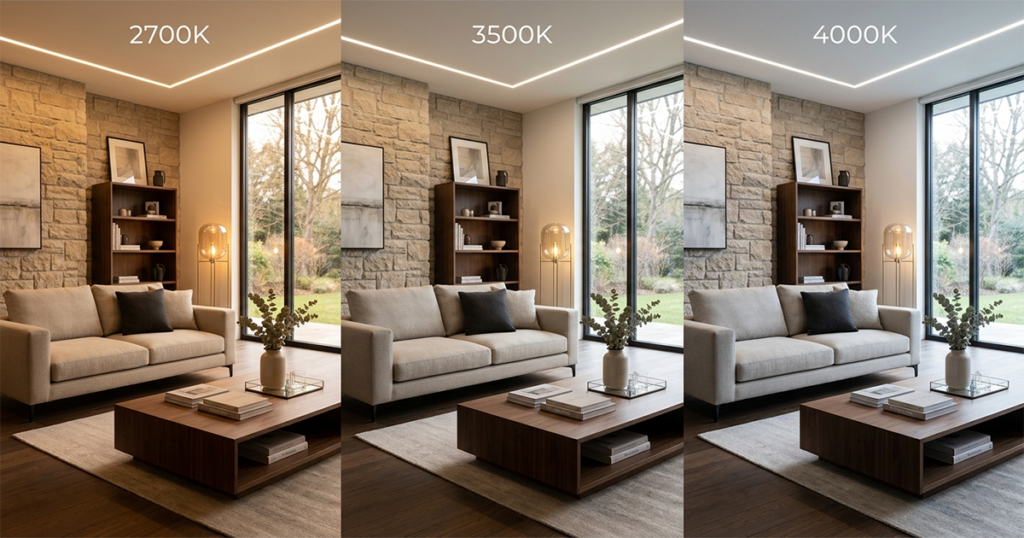
This is the working interior designer’s guide to AI lighting design — what AI tools can visualize, what they can’t calculate, and how to integrate them into a credible lighting design workflow that produces real specs.
Why lighting matters more than most designers admit
The single most common reason a finished interior project disappoints the client at handover is bad lighting. Every other specification — paint color, flooring, furniture, art — depends on lighting to read correctly. A perfectly specified room with a 5000K ceiling can light grid and no decorative layers will look hostile and clinical regardless of the rest of the design. A modestly specified room with thoughtful layered 2700K lighting will feel inviting and well-designed even with mid-tier furniture.
The 2026 lighting design baseline for residential and commercial interiors:
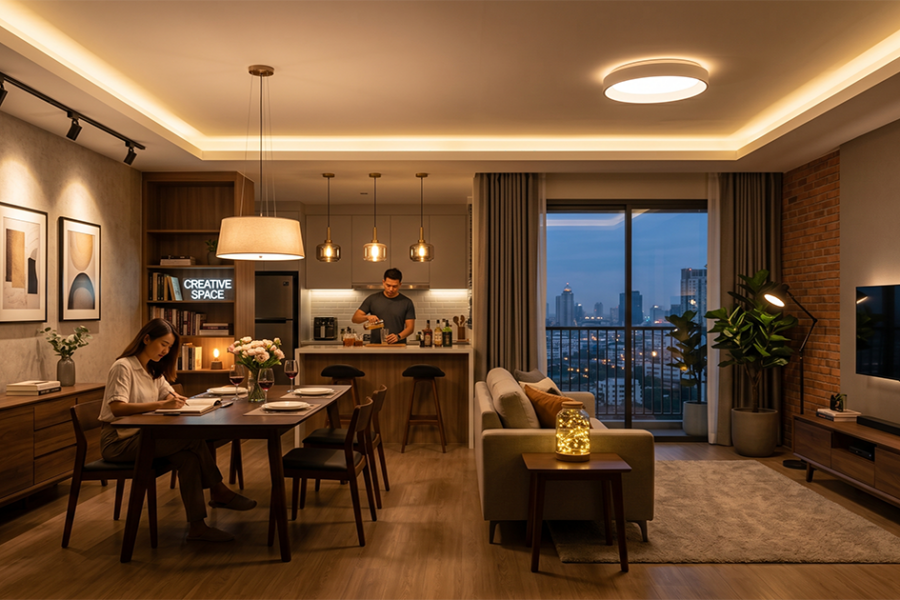
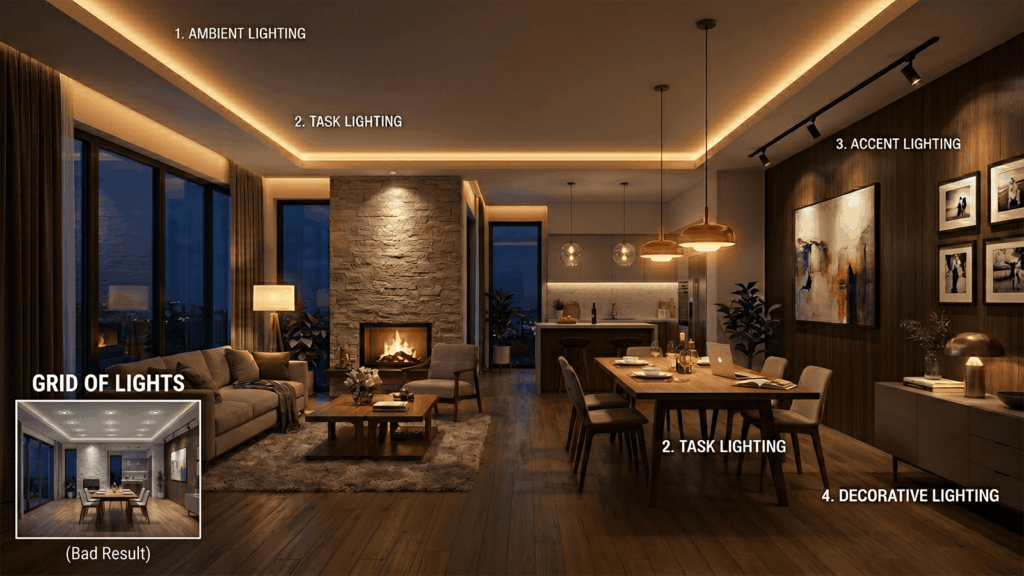
- Four layers minimum: ambient (general), task (work-focused), accent (highlighting), decorative (visual statement).
- Color temperature consistency: 2700K–3000K for residential, 3000K–3500K for hospitality, 3500K–4000K for workplace.
- Dimmable, not on/off. Every fixture on a dimmer, every dimmer programmed to scenes.
- High CRI specification. 90+ CRI minimum for residential, 95+ for art and retail.
- Decorative fixtures as design objects. Pendants, sconces, and lamps as visual statements, not utility.
What AI lighting design tools do well
Roomwork.ai and similar AI tools have specific lighting design strengths:
- Decorative fixture visualization. Testing how a specific pendant, chandelier, or sconce looks at scale in a real room photo, before specifying.
- Color temperature comparison. Generating the same room at 2700K vs. 3000K vs. 4000K to test temperature decisions.
- Time-of-day mood studies. Visualizing the room at morning, midday, evening, and night under designed lighting plans.
- Lighting layer testing. Visualizing the difference between ambient-only and ambient + decorative + accent layered lighting.
- Client presentation. Showing clients photoreal lighting concepts at concept review instead of asking them to imagine outcomes from cut sheets.

What AI lighting design does not replace
- Photometric calculation. Lux levels, foot-candle distribution, and code compliance still happen in lighting design software (DIALux, AGi32, Visual).
- Fixture electrical specification. Wattage, voltage, dimmer compatibility, and driver specifications require manual specification.
- Control system design. Lutron, Crestron, Control4, and Casambi system design is engineering work, not visualization.
- Energy code compliance. Title 24, ASHRAE 90.1, and similar energy codes require calculation, not visualization.
- Vendor sourcing. Real fixtures from real manufacturers with trade pricing remain human work.
An AI-assisted lighting design workflow
- Define the lighting program. What does the room need to support? Reading, dining, entertaining, work, sleep, transition? Document the use program before designing.
- Sketch the layer concept. Ambient, task, accent, decorative layers. Where does each layer come from?
- Generate decorative fixture options with AI. Test 4–6 pendant or chandelier directions in the actual room photo. Narrow with client.
- Generate time-of-day mood studies with AI. Visualize morning, evening, and night lighting plans. Validate client preferences.
- Develop measured plan in lighting software. Move chosen direction into DIALux or AGi32 for photometric verification.
- Specify control system. Lutron, Crestron, or equivalent control design with scenes mapped to use program.
- Issue lighting specification documents. Fixture schedules with manufacturer, model, finish, lamp, control, and dimming details.
Five lighting design principles for 2026
- Light the layers, not the room. Designers who light by layer (ambient/task/accent/decorative) consistently produce better outcomes than designers who light by fixture count.
- Warmer is better. The 2026 baseline for residential and hospitality has moved warmer, not cooler. Specify 2700K unless a specific use case requires more.
- Dimmers are non-negotiable. Every fixture, every time. Non-dimmed lighting is a 1990s pattern that no longer meets professional baseline.
- Specify decorative fixtures as art. The chandelier, pendant, or sconce is the visual statement in the room. Spec it like art.
- Scene-program the controls. Static lighting is dead. Scene-programmed control systems are baseline for any project above a basic budget.
Frequently asked questions
Can AI design a lighting plan that meets code?
No. AI lighting tools visualize concepts but do not perform photometric calculation or code compliance checking. Working designers use AI for visualization and conventional lighting design software (DIALux, AGi32) for code-compliant measured plans.
What’s the best color temperature for residential lighting in 2026?
2700K is the working baseline for residential interiors in 2026. 3000K is acceptable for kitchens, bathrooms, and dressing areas. 4000K and above is no longer appropriate for residential interior except in workshops, garages, and dedicated work studios.
Can AI lighting design replace a lighting designer?
Not for projects of any meaningful budget. AI accelerates concept and visualization work, but specification of fixtures, controls, drivers, and dimming systems requires technical expertise that remains human work.
Should every interior designer learn lighting design?
Yes. Lighting is the single highest-leverage element in finished interior outcomes, and the discipline is too important to outsource entirely. Professional interior designers in 2026 should be able to specify a layered lighting plan even when a lighting consultant is also engaged.
What lighting tools should I learn in 2026?
Roomwork.ai or equivalent for visualization. DIALux Evo for photometric design (free). Lutron Designer software for residential control design. AGi32 for commercial projects. RP Tools’ Photopills for daylight analysis. Most designers don’t need all of these — choose based on project type.
See it in your own projects.
Generate your first AI interior visualization in under 3 minutes. No 3D experience required.