Post-pandemic office redesign work is the largest commercial interior segment in 2026, and AI fits the workflow unusually well. This guide covers exactly how workplace design studios use AI on real projects — from option generation to executive presentation — and where the limits are.
Why workplace projects benefit from AI in 2026
The post-pandemic shift in how offices are used has created a massive commercial interior design opportunity in 2026. Companies are redesigning offices for hybrid work, amenity-driven engagement, and space efficiency — and the design work has three characteristics that suit AI:
- Executive stakeholders evaluate by comparison. CEOs and HR leaders pick from 3–5 options; AI lets the designer generate all options visually.
- Multi-floor roll-outs need consistent visual language. One design direction applied across 8 floors needs documentation, and AI handles repetition well.
- Concept-to-occupied lead times are tight. Corporate clients want to be in the new space within 6–9 months; AI compresses concept and option phases.
Six workplace use cases where AI ships now
- Workpoint and neighborhood concept studies. Open desks, focus rooms, team neighborhoods, phone booths — visualized in 3–5 design directions.
- Executive presentation imagery. Polished concept boards for the C-suite review, generated without 3D visualization budget overhead.
- Amenity space concepts. Cafes, lounges, town halls, wellness rooms — concept imagery for the non-workspace zones that increasingly define modern offices.
- Brand environment studies. How the company brand expresses in physical space — colors, materials, signage, art programs — tested visually before committing to fabrication.
- Multi-floor roll-out documentation. Once the prototype neighborhood is approved, generate variations for different floor plates and team sizes.
- Furniture line option presentations. Testing 2–3 furniture lines (Steelcase, Herman Miller, Haworth) in the same neighborhood concept before specifying.

Where AI doesn’t fit workplace projects
- Stakeholder facilitation. Hybrid work decisions, neighborhood mapping, and change management require human-led workshops, not AI.
- Furniture specification. Real product specification with manufacturer pricing, lead times, and union/dealer relationships happens in spreadsheets.
- Construction documentation. Permit drawings, MEP coordination, and tenant improvement documents are CAD/Revit work.
- Code and accessibility compliance. Egress, accessibility, restroom counts, plumbing fixture ratios — all human work.
- Acoustic planning. Open-office acoustic engineering is a specialized discipline AI doesn’t address.
Six rules for AI workplace concept work
- Always include people in workplace renders. Empty offices look like real estate marketing; populated offices show the work culture the client is buying.
- Generate at multiple time-of-day moods. Morning focus mode, midday collaboration, afternoon casual — corporate clients evaluate culture, not just design.
- Render every persona’s perspective. Show what an executive sees, what a junior employee sees, what a visitor sees. These are different vantage points and clients evaluate by role.
- Test the amenity spaces hardest. The cafe, lounge, and town hall do most of the cultural work in modern offices. Spend AI iteration time there.
- Avoid generic open-office AI imagery. The default AI output for “office” is a generic open-plan render. Specify neighborhood structure, focus rooms, and the actual program before generating.
- Show the brand expression in physical form. Logo placement, color systems, signage, art programs — these are concept-stage moves AI handles well.
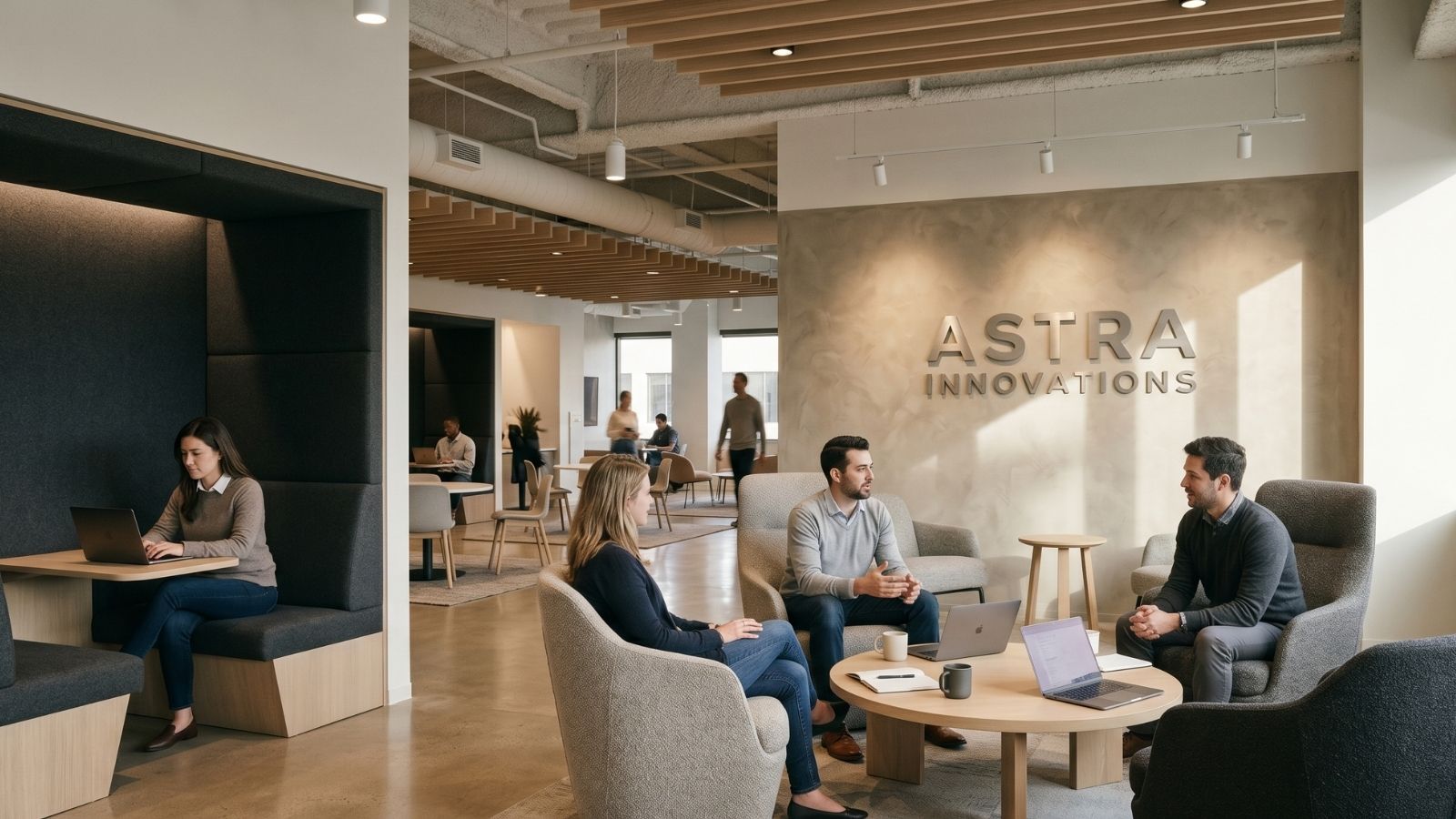
How AI changes the workplace pitch and execution
The post-pandemic corporate client expects to see the new office before committing — and the traditional path (CAD plans plus 3–4 hand-rendered visuals) doesn’t match how executives make decisions in 2026. AI lets workplace designers present 20+ photorealistic images covering every major space type, every persona view, and every key moment of the workday. Decisions get made faster and with more conviction.
Downstream, AI also helps the change management process: employees previewing the new office through walkthrough imagery before move-in adapt faster than employees seeing it for the first time on day one. Some corporate clients are now asking for AI walkthrough imagery as part of their internal communications plan — a use case that didn’t exist two years ago.
Frequently asked questions
Can AI design a corporate office?
AI accelerates the concept, option generation, and executive presentation phases of workplace projects. It doesn’t handle stakeholder facilitation, furniture specification, construction documentation, or code compliance. Treat it as a concept accelerator within a larger workplace design process.
How does AI fit into hybrid workplace design?
Hybrid workplace design involves making space-allocation decisions for a population that’s not all in the office at once. AI helps test how the same space functions at 30%, 60%, and 100% occupancy — showing the same neighborhood at different densities and use modes.
Do corporate clients accept AI-generated office renders?
By 2026, yes — most corporate clients have seen enough AI work that they accept it for concept and executive presentation purposes. They still expect traditional CAD/Revit documentation for construction and a real photography portfolio for marketing the finished space.
Which workplace project sizes benefit most from AI?
Mid-size projects (10,000–100,000 sq ft) benefit most. Small projects often don’t justify the design fees for extensive concept work; very large projects typically have 3D visualization budgets that compete with AI directly. The middle market is where AI adds the most leverage.
Can AI replace workplace strategy consultants?
No. Workplace strategy involves human-led facilitation, stakeholder interviews, and change management work that AI doesn’t do. AI accelerates the design visualization that follows the strategy work, but the strategy itself remains a human discipline.
See it in your own projects.
Generate your first AI interior visualization in under 3 minutes. No 3D experience required.